
Registro de reservas
Qué datos recoge el asistente para una estancia, y el WhatsApp y el email que salen después.
El asistente recoge los datos de la reserva: número de habitaciones, fechas de entrada y salida, número de noches y número de huéspedes (adultos, niños y bebés).
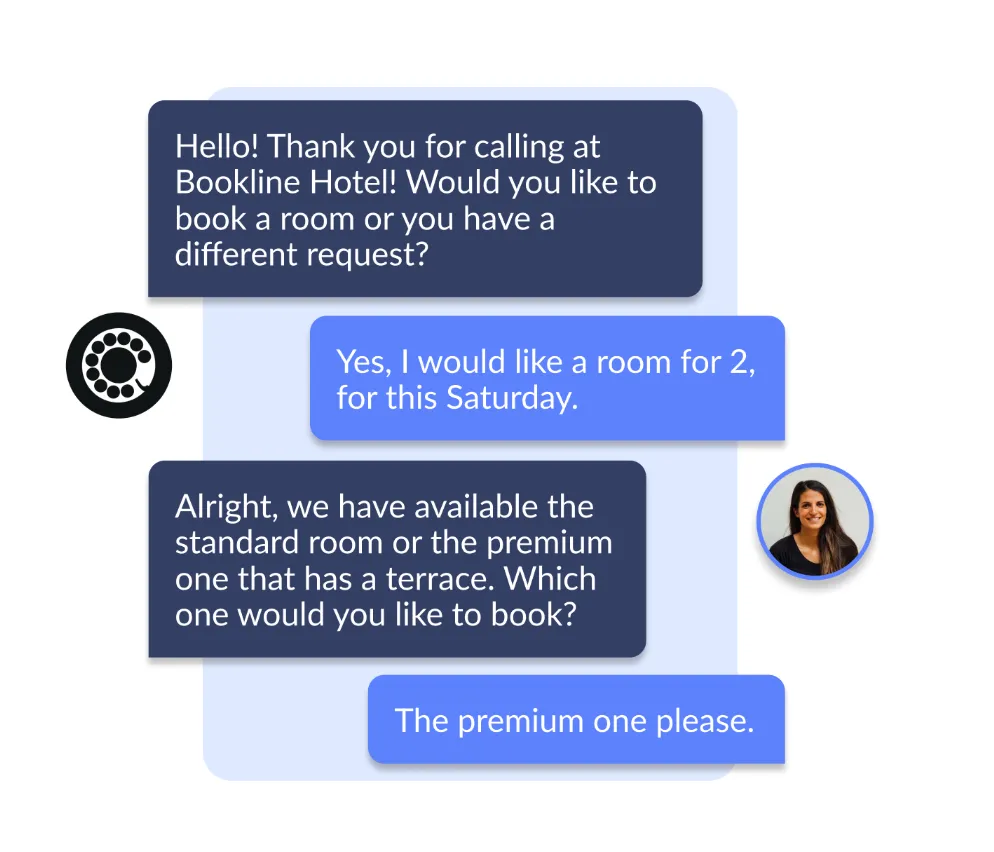
Al terminar, el cliente recibe un WhatsApp con el resumen de su petición y un enlace directo al motor de reservas, ya relleno con todos los datos que ha dado.
A la vez, el hotel recibe un email con ese mismo resumen, por si prefiere llamar al cliente para cerrar la reserva a mano o hacer seguimiento.
Opciones de configuración
Sección titulada «Opciones de configuración»Mensajes de inicio y de cierre
Sección titulada «Mensajes de inicio y de cierre»Texto de introducción
Un mensaje adicional que suena al principio de la llamada, antes de preguntar por la fecha de la reserva. Sirve para dar contexto o información relevante.
Texto final
Un mensaje adicional al terminar el flujo de reserva, después de enviar el WhatsApp, para cerrar la conversación con la información que quieras añadir.
Identificación del cliente
Sección titulada «Identificación del cliente»Preguntar el nombre del cliente
Si está activo, el asistente pregunta el nombre al principio y lo incluye en el email al hotel. Si no, se salta la pregunta.
Códigos de descuento por WhatsApp
Sección titulada «Códigos de descuento por WhatsApp»Código de descuento de WhatsApp
Un código de descuento que se incluye en la plantilla de WhatsApp y que el cliente puede aplicar en el motor de reservas. Añade una variable más a la plantilla.
Texto para pedir el código de descuento
Texto personalizable con el que el asistente pide permiso para enviar el WhatsApp con el código. Solo se usa si el campo anterior está relleno.
Notificaciones de WhatsApp
Sección titulada «Notificaciones de WhatsApp»URL del motor
Enlace a la página de tu web donde está integrado el motor de reservas. Se le envía al cliente por WhatsApp, ya con los parámetros de búsqueda de su reserva.
ID de la plantilla de WhatsApp
Elige la plantilla de WhatsApp que quieres enviar. Si no seleccionas ninguna, no se envía mensaje.
URL de la imagen de WhatsApp
La imagen que aparece como cabecera de los WhatsApp que se envían.
Casos de desvío
Sección titulada «Casos de desvío»Desvío directo
La llamada va directa al número elegido y se salta el flujo normal del módulo.
Si el servicio no está disponible o es fuera del horario de atención, el módulo funciona con normalidad.
Desvío tras el módulo
La llamada se transfiere una vez completado el flujo de solicitud de reserva.
Si es fuera del horario de atención o el servicio está inactivo, la llamada termina sin desvío.
Desvío si no hay WhatsApp
Si el cliente no autoriza el WhatsApp, la llamada se transfiere.
Si es fuera del horario de atención o el servicio está inactivo, se le dice al cliente que su petición se envía al equipo y que le contactarán lo antes posible.
Desvío si falla el WhatsApp
Si el cliente autoriza el WhatsApp pero el mensaje no se puede enviar, la llamada se transfiere al número configurado.
Si es fuera del horario de atención o el servicio está inactivo, se le dice al cliente que su petición ya está con el equipo para hacer seguimiento.
Emails automáticos
Sección titulada «Emails automáticos»Plantillas de Sendgrid para alojamiento
Plantillas de email para enviar la confirmación de cada tipo de reserva. Si falta una plantilla, no se envía email.
Enviar email en el WhatsApp de reserva
Si está activo, el email de contacto del hotel se añade como variable extra en el mensaje de WhatsApp.
Gestión de grupos
Sección titulada «Gestión de grupos»Pregunta de grupo
Activa la opción de elegir entre reserva individual o de grupo en la pregunta inicial.
Máximo de habitaciones por grupo
El número mínimo de habitaciones a partir del cual una reserva se trata como de grupo. Si el cliente no lo confirma, se le vuelve a preguntar.
Enviar WhatsApp de grupos
Si está activo, el asistente recoge los datos de la reserva de grupo y pide permiso para enviar al cliente un WhatsApp con la información.
Plantilla de WhatsApp para grupos
La plantilla concreta que se usa en las reservas de grupo (solo funciona si «Enviar WhatsApp de grupos» está activo).
URL de la imagen de la plantilla de grupos
Imagen de cabecera de la plantilla de WhatsApp para grupos.
Mensaje susurrado
Sección titulada «Mensaje susurrado»Mensaje susurrado
Mensaje que escucha la persona que recibe una llamada transferida.